If your organization sends through Google Workspace, add the gateway as an SMTP relay service in the Google Admin console rather than in individual mailboxes — this applies the setting to everyone sending from your domain.
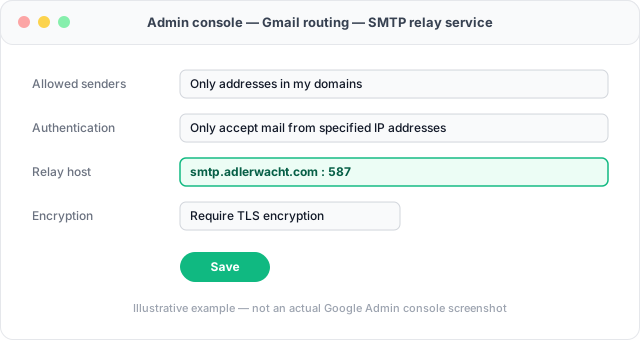
- In the Google Admin console, go to Apps → Google Workspace → Gmail → Routing.
- Under SMTP relay service, add a new setting.
- Enter the gateway's inbound server settings as the relay host and port.
- Choose an authentication method that matches how your account was set up — your gateway account's own email as the username, with whichever credential type your account uses.
- Save, and send a test message from a Workspace mailbox to confirm it's routed through the gateway.
This changes routing for outgoing mail from your whole domain, not just one
mailbox — if you only want to protect attachments from specific senders, configure
the gateway per mailbox in each Gmail account's own SMTP settings instead.